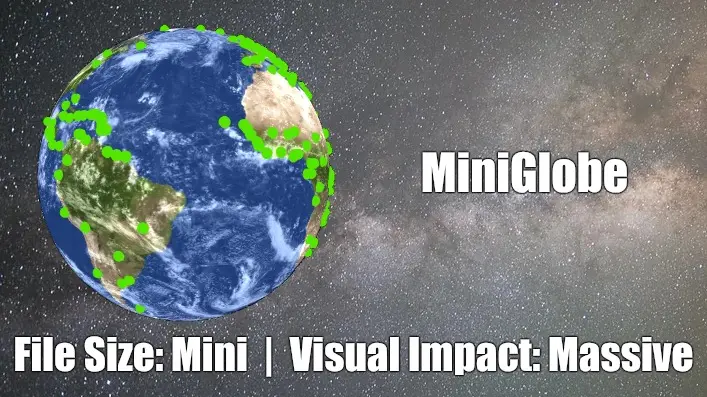
Stunning 3D globes without slowing down your site
You want stunning maps on your website, but traditional plugins are bloated, expensive, and murder your site speed. Content - MiniGlobe gives you professional, interactive 3D globes that are 89% smaller than other solutions—no speed penalty, no premium price tag. Your site stays fast, looks incredible, and you get the visual impact you need without the performance nightmare.
Overview
Proof
There are far too many options to demonstrate on one page, so we've distilled it down to two that almost show everything it can do. First, a completely default globe using an included NASA surface and cloud image. Next, a globe with a fully controllable data-driven surface and some cool features you can use right away. Touch it, drag it - you can view it from any angle.
Give it a Spin
Professional globe with texture and clouds - 300KB total, zero configuration. This is what you get out of the box.
Real-time network monitoring with live data - 83KB, no images | pure code. This is what you can do with some extra code.
The advanced demo is actually lighter because it draws everything procedurally instead of loading images. Start with beautiful defaults, customize later if you want.
How It Works
MiniGlobe turns a simple {miniglobe} tag into a fully interactive 3D globe that visitors can spin with their mouse or finger. Instead of downloading giant ready-made graphics, it draws the globe fresh on each device using built-in graphics technology—like having an artist paint your globe on-the-spot instead of shipping a massive pre-painted sculpture. Other mapping plugins force you to load 700KB+ of code that slows everything down, but MiniGlobe delivers the same professional look in just 76KB—that's 89% smaller and loads almost instantly.
FEATURE LIST
- Lightning-fast loading - Entire globe loads in under a second, keeping visitors on your site instead of bouncing
- Works on every device - Looks stunning and runs smoothly on phones, tablets, and desktops without special setup
- No coding required - Just type {miniglobe} in your article and you're done—that's it
- Real-time updates - Show live data like server locations or sales regions that update automatically without page refreshes
- Drag to explore - Visitors can spin the globe with their mouse or finger to see different parts of the world
- Pinpoint any location - Drop markers anywhere on Earth with custom colors and sizes to match your brand
- Show connections visually - Draw curved lines between locations to display routes, relationships, or data flow
- Free customization tools - Change globe colors, textures, and appearance to match your website design
- No monthly fees - Download once, use forever—no subscriptions, no usage limits, no surprise charges
- Privacy-friendly - No external services, no tracking, no data collection—just works on your site
- Automatic rotation - Globe spins gently on its own to catch attention, or lock it to show a specific region
- Add clouds and atmosphere - Optional realistic effects make your globe look like a professional weather service
- Multiple globes per page - Show different data sets side-by-side for comparisons
- Update from anywhere - Feed in data from spreadsheets, databases, or live sources to keep maps current
Frequently Asked Questions:
Will this slow down my site?
The entire plugin is 76KB—smaller than a single photo on most websites. Compare that to other globe plugins at 700KB+. Your page loads faster, your Google rankings improve, and visitors never wait.
Is this hard to set up?
Type {miniglobe} anywhere in your article. That's it. No API keys, no external accounts, no complicated configuration screens. If you can type a curly brace, you can use MiniGlobe.
What if I need custom colors or my own map design?
Every color, texture, and visual element is customizable—you can even use our free texture editor to create globes that match your brand colors exactly. Or just use the included professional designs out of the box.
It's free - what's the catch?
No catch. Download it, use it forever, no subscriptions, no usage limits, no premium upsells. I'd rather see it on thousands of Joomla sites than charge for it and watch it collect dust.
Will this work with my Joomla version?
Works perfectly on Joomla 4, 5, and 6. Install it once, update Joomla worry-free—MiniGlobe keeps working.
Download
Technical Details
Technical Specifications
For the Technically Curious
Rendering Engine
- Pure WebGL2 implementation (no Three.js dependency as of v5.2+)
- Equirectangular projection texture mapping
- Real-time procedural rendering for land/ocean/nations
- GPU-accelerated sphere geometry generation
- Atmospheric glow shader effects
- Optional graticule overlay (latitude/longitude grid)
Performance Architecture
- 83KB minified core JavaScript (89% reduction from v5.1)
- Shared Web Worker for AJAX/KML marker loading
- Intelligent marker update system (add/update/remove only changed elements)
- No external CDN dependencies
- Optimized for mobile/desktop rendering
Data Format Support
- JSON marker arrays with lat/lon/size/color/name/group properties
- KML placemark parsing for geographic data
- AJAX auto-refresh with configurable intervals (milliseconds)
- Dynamic JavaScript API for programmatic control
Marker System
- Two marker types: spheres and cylinders
- Custom positioning via latitude/longitude coordinates
- Per-marker color (hex or RGB), size, and unique ID
- Group-based organization for batch operations
- Intelligent update logic prevents flickering
Arc System (New in 5.4)
- Great circle arc rendering between any two points
- Custom color (hex or RGB) and thickness per arc
- Dynamic add/remove/update via JavaScript API
- Bezier curve approximation for smooth rendering
Geopolitical Features
- 195 nations with individual color control via API
- Procedural land/ocean coloring without textures
- Nation-level data visualization support
Customization Options
- Custom equirectangular texture support (any resolution)
- Optional cloud layer with independent rotation speed
- Configurable brightness, rotation speed, and auto-rotation
- Lock rotation to specific longitude (pairs with speed=0 for fixed views)
- Camera controls: drag-to-rotate with momentum and auto-rotation resume
Browser Compatibility
- Requires WebGL2 support (all modern browsers)
- Graceful degradation for older browsers
- Mobile-optimized touch controls
- Responsive canvas sizing
Joomla Integration
- Simple {miniglobe} tag syntax
- Inline parameter configuration via tag attributes
- Plugin-level default settings
- Compatible with Joomla 4.x, 5.x, 6.x
- Works with com_content articles, and any module/component that processes content plugins
JavaScript API Methods
javascript
canvas.MiniGlobe.addMarker(type, lat, lon, color, size, name, group, length);
canvas.MiniGlobe.updateMarker(id, properties);
canvas.MiniGlobe.removeMarker(id);
canvas.MiniGlobe.addArc(lat1, lon1, lat2, lon2, color, thickness, id);
canvas.MiniGlobe.updateArc(id, updates);
canvas.MiniGlobe.removeArc(id);
canvas.MiniGlobe.landColor = [r, g, b];
canvas.MiniGlobe.oceanColor = [r, g, b];
canvas.MiniGlobe.nationColors["ISO_CODE"] = [r, g, b];
File Size Breakdown
- Core JavaScript: 83KB (minified)
- Optional globe texture (1024x512): ~200KB
- Optional cloud texture (1024x512): ~100KB
- Total typical deployment with globe & cloud images: <400KB in 3 HTTP requests
- Minimal deployment: 83KB in 1 HTTP request
More Examples
Coming Soon


